
Other articles
- Apple Ads theory: Basic vs Advanced
- Apple Ads theory: Placements
- Apple Ads theory: Campaigns
- Apple Ads theory: Ad Groups
- Apple Ads theory: Target and Negative Keywords
- Apple Ads theory: Search Terms
- Apple Ads theory: Ad Variations
- Apple Ads theory: Impression Share
- Apple Ads practice: Exact Match Campaign
- Apple Ads practice: Bidding
- Apple Ads practice: Discovery Campaign
- Income vs Cohort Income
Apple Ads theory: Ad Groups
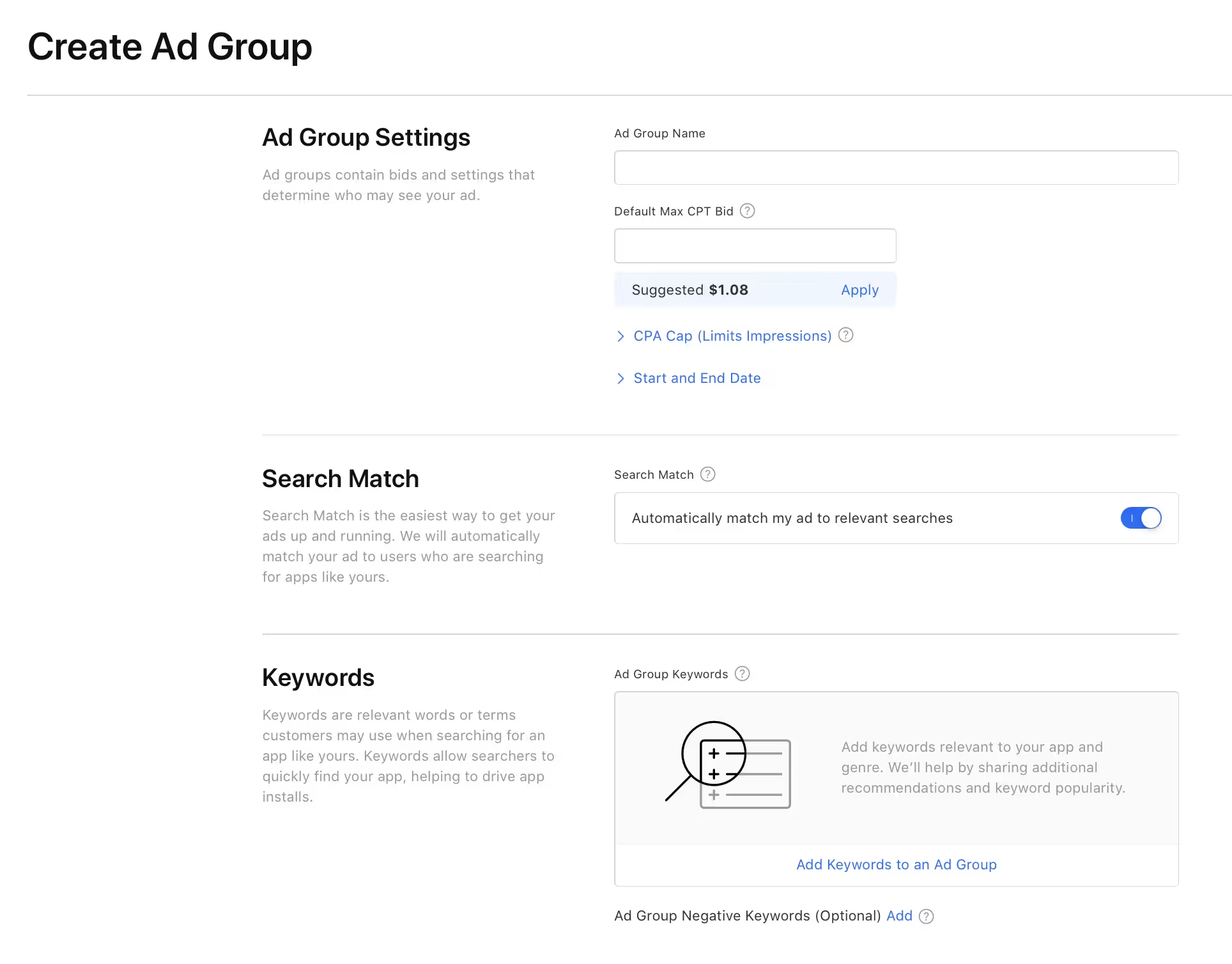
Every campaign can have one or more Ad Groups. At the Ad Group level, you can configure:
CPT Bid. The Ad Group level CPT Bid applies for Today Tab, Search Tab, and Product Pages placements, and for Search Results traffic that comes from Search Match (described below). If your traffic comes from keywords, the keyword level CPT Bid will be used instead.
Audience. When changing the audience, it is important to know what the Personalized Ads setting means. The popup asking for a permission to show personalized ads appears the first time user opens the App Store on a new account. According to apple data, 78% of App Store users have their personalized ads turned off.
There are several settings inside the Audience tab:
- Demographics - you can select age and gender, but your ads will only be shown to the users who have allowed personalized ads.
- Customer types - you can target all users, new users, returning users, or users of your other apps. Returning users can only be targeted if personalized ads are allowed.
- Devices - you can select iPhone, iPad, or both. This may be useful if monetization differs across devices. If you target both iPhone and iPad in your campaign, you can use device filter in ASATools report to view expense and income by device type.
- Locations - In some countries, you can target a specific location (state or city) inside the country. This may be useful for apps that operates only in a specific area.
Ad Variations allow you to select different set of screenshots for a specific ad group. This is a great tool to lower your cost per tap: with a higher TTR you can win the auction with a lower CPT bid. In ASATools, we have tools for analytics and editing Ad Variations in bulk.
Search Match is only available for Search Results placement. When this setting is on, your app will be shown for all queries that Apple considers relevant for your app. If you create a campaign from Apple Ads dashboard, this setting is enabled by default. It often leads to irrelevant and low-converting traffic, so make sure to turn it off if you want to target specific keywords.
CPA Cap limits cost per install. If you set a CPA Cap at the ad group level, your CPT bid for each keyword will be calculated as min(keyword CPT bid, (CPA Cap * ad group CR)). This approach may work for SKAG campaigns, but if you have multiple keywords in one ad group, the auction will use ad group CR (average for all keywords), which can lower impressions for well-performing keywords.
Target Keywords and Negative Keywords. For the Search Results placement, each ad group can have target keywords and negative keywords. They are described in the next article.