
Other articles
- Apple Ads theory: Basic vs Advanced
- Apple Ads theory: Placements
- Apple Ads theory: Campaigns
- Apple Ads theory: Ad Groups
- Apple Ads theory: Target and Negative Keywords
- Apple Ads theory: Search Terms
- Apple Ads theory: Ad Variations
- Apple Ads theory: Impression Share
- Apple Ads practice: Exact Match Campaign
- Apple Ads practice: Bidding
- Apple Ads practice: Discovery Campaign
- Income vs Cohort Income
Apple Ads theory: Placements
There are four different placements in Apple Ads:
- Search Results
- Today Tab
- Search Tab
- Product Pages
In this article we will cover which placements works best for your goals.
Search Results
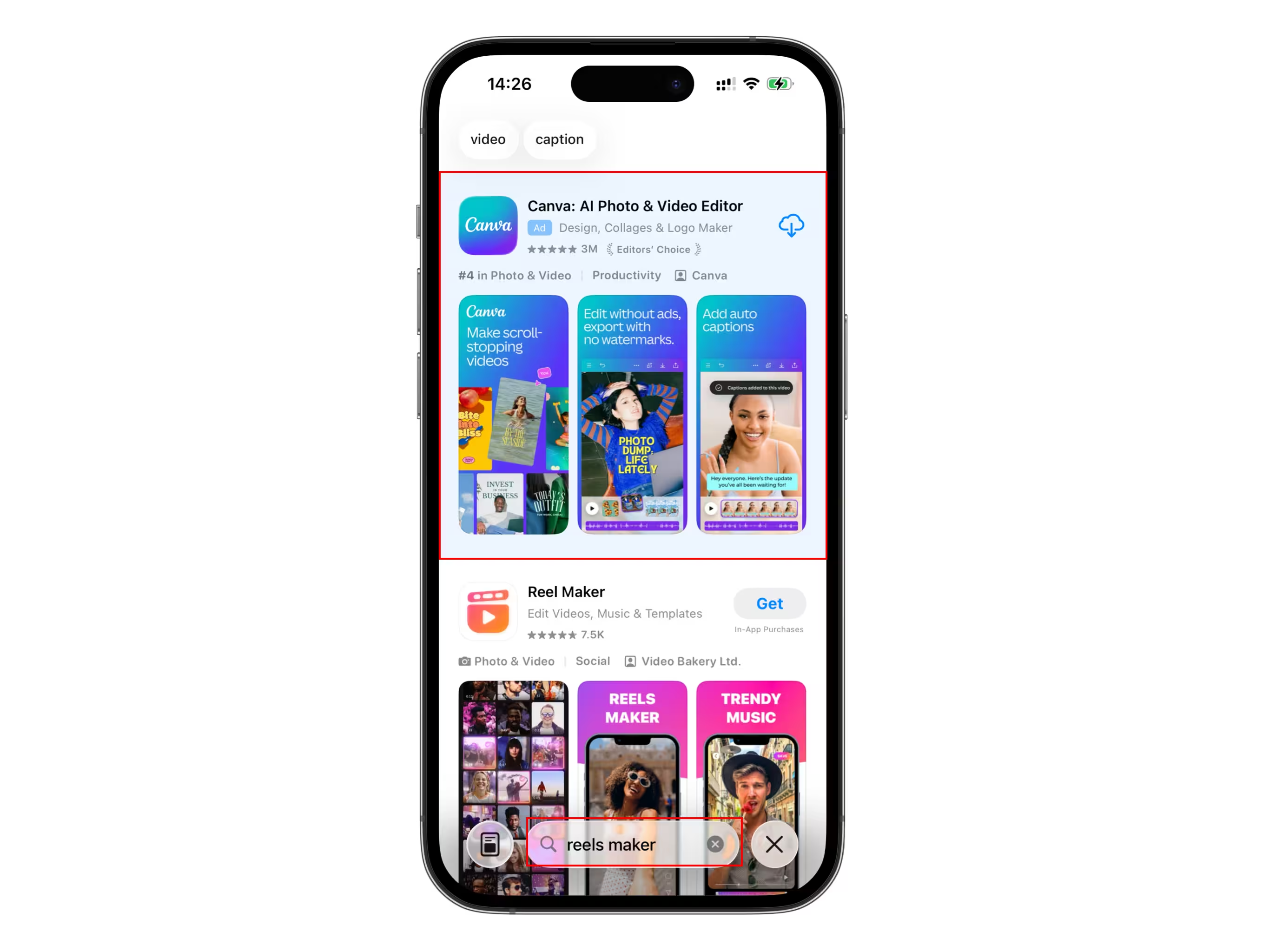
Search Results is the best placement if your goal is a positive ROAS. Your ad will appear at the top of the list after a user initiates the search. You can set up the phrases you want to target and customize your set of screenshots for specific queries using Custom Product Pages.
Users, who come from Search Results placements usually show good conversions, as they already have the intent to download an app.
This placement is also the most complicated to set up, but we will cover it in the next articles.
Today Tab
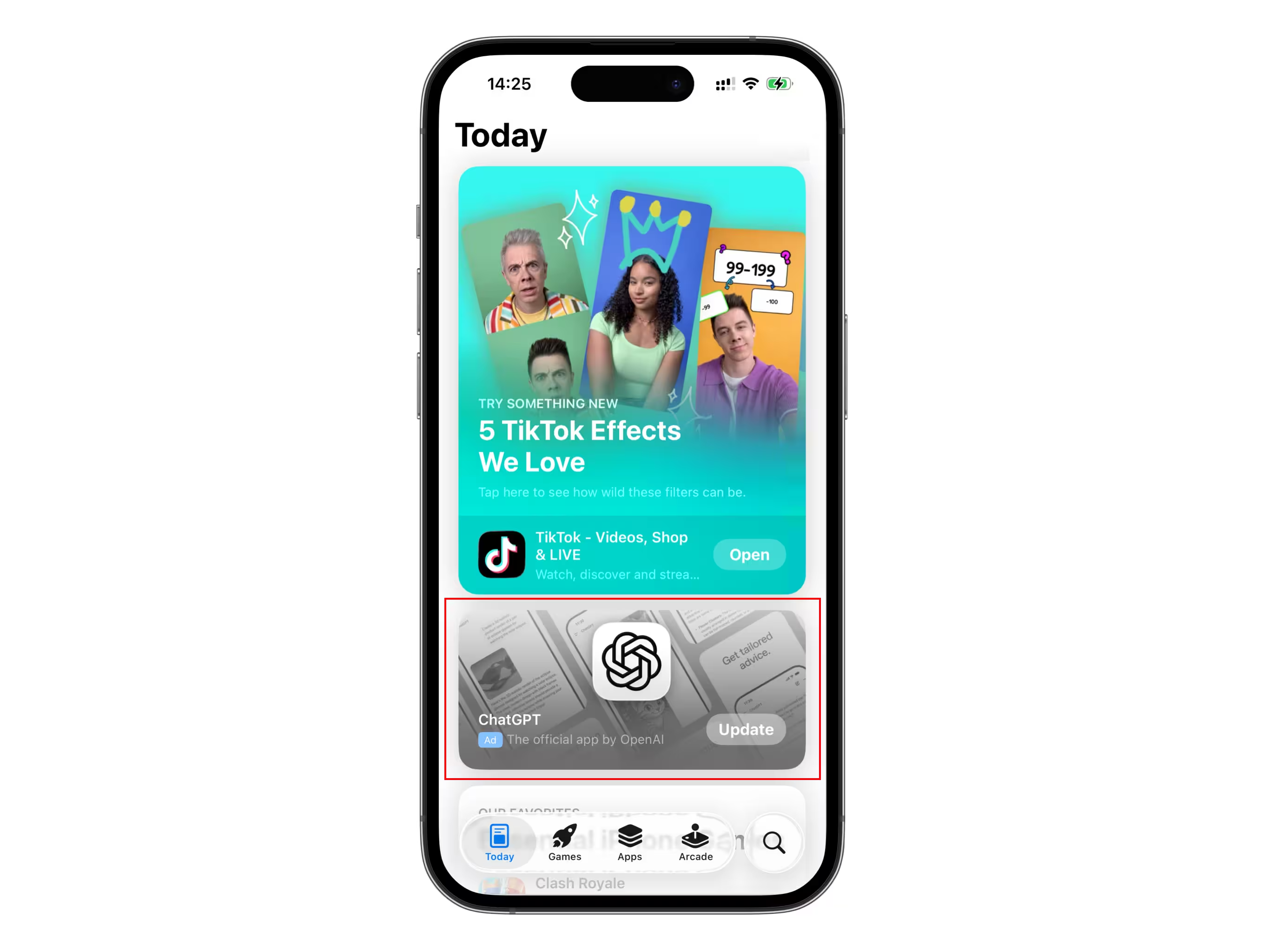
You ad will be placed at the bottom of the main App Store screen. Big icon, animated screenshots on the background, broad targeting. This placement works best for brand awareness campaigns with a large budget. You can expect high impressions, but low TTR and high cost per install.
Be careful with the budget limits in this placement. Due to the high volume of impressions, you campaign can spend (daily budget * 30.4) in a single day.
Search Tab
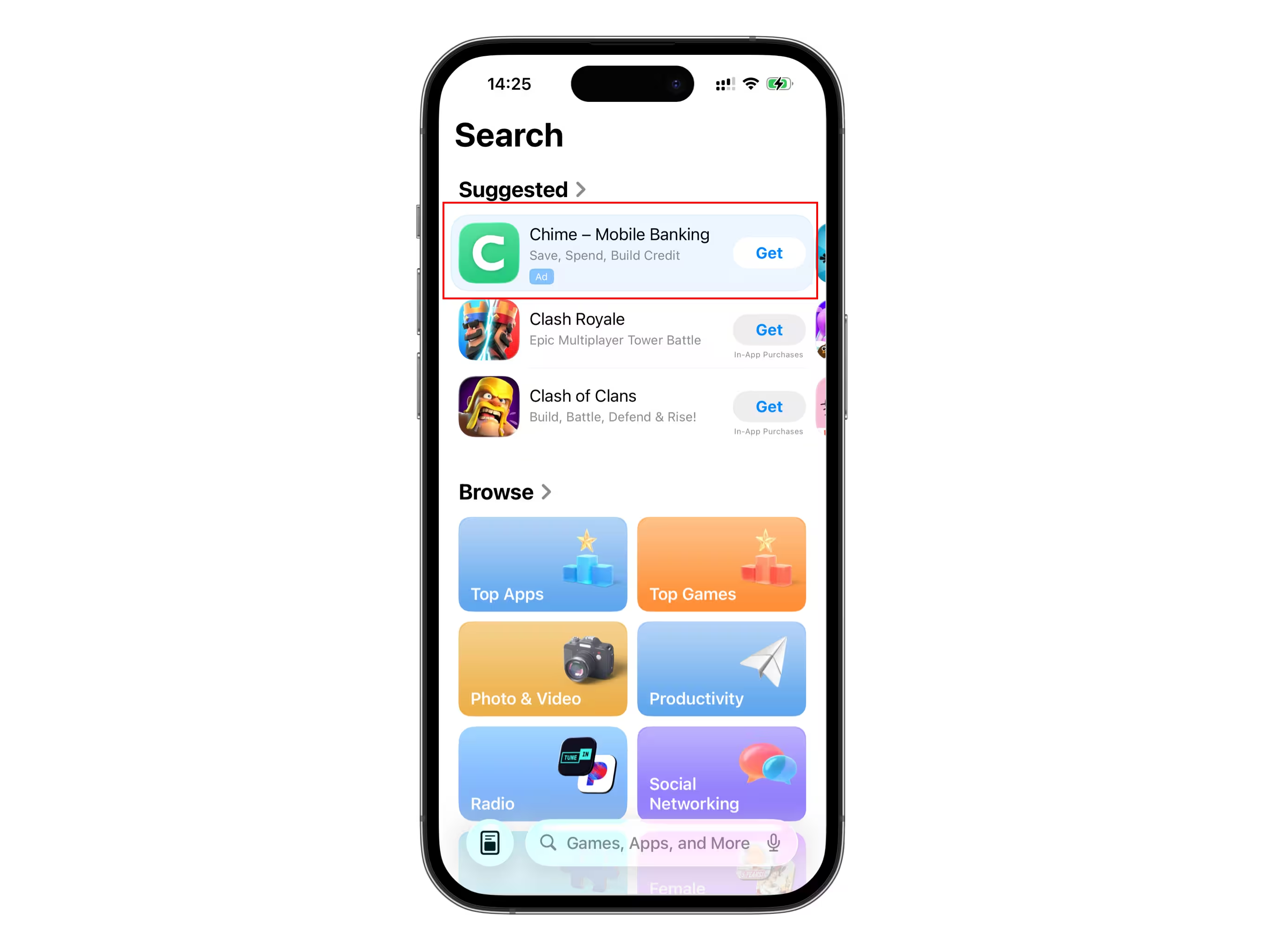
Your ad will be placed at the top of the Search screen in the Suggested section, before user types a search query. This ad banner is smaller than Today Tab and has the same broad targeting as Today Tab.
Like the Today Tab, you can use this placement for brand awareness campaigns.
Product Pages
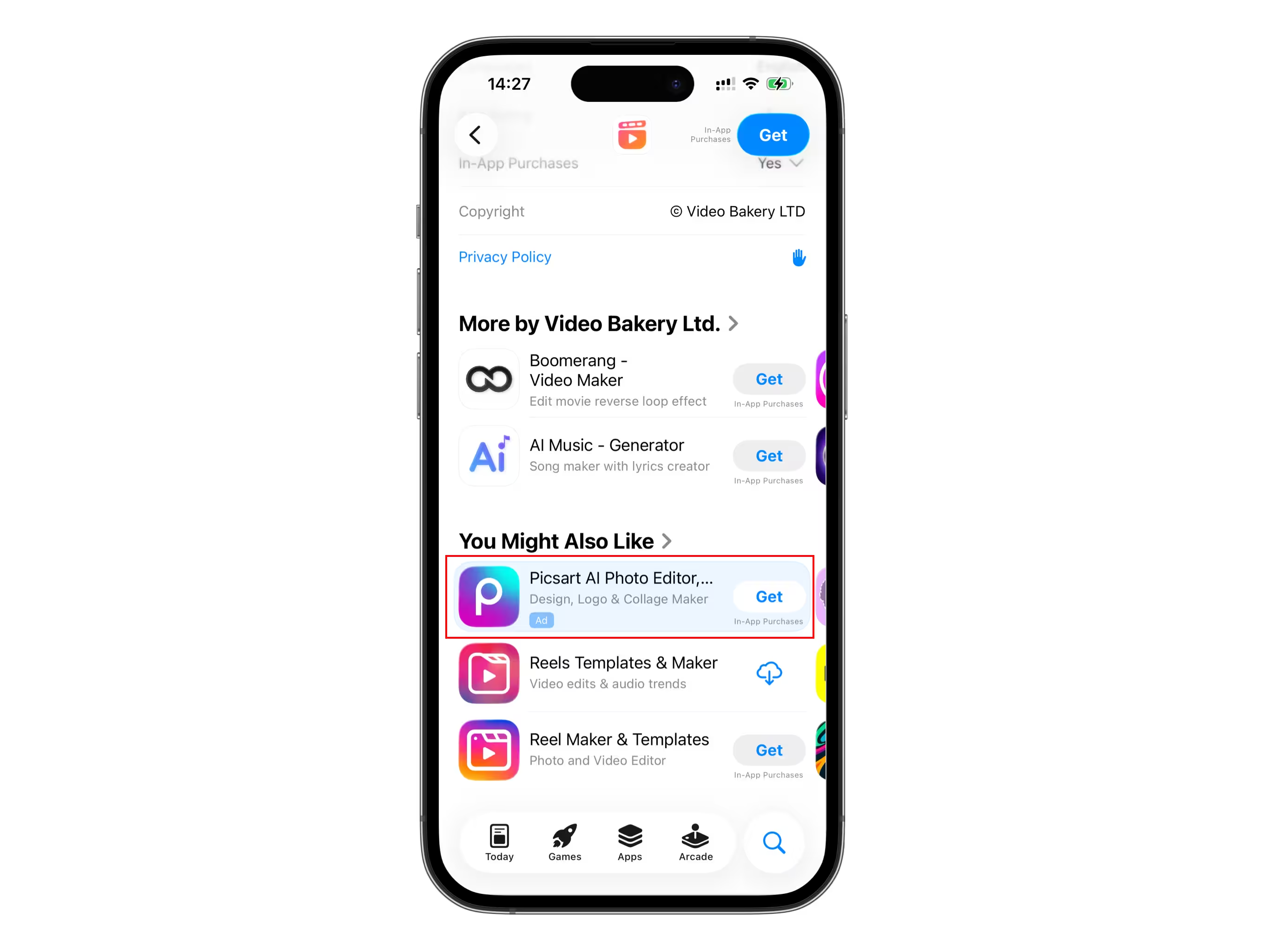
In this placement you ad will be displayed on another app's page when you scroll all the way down to the "You Might Also Like" category. When you set up targeting for this placement, you can pick if you want your ad to be shown in all categories, similar categories, or other categories.
On one hand, there is significantly less traffic in this placement compared to Search Results. On the other hand, there is often much less competition here. While other apps compete for the same keywords in Search Results, driving CPA up, you can get a traffic for a lower cost here.
Users will only see your app icon, title, and subtitle, so make sure they are optimized.
Conclusion
If your goal is a positive ROAS, it's better to master Search Results campaigns first. This placement usually shows the best performance in monetization.
If Search Results traffic is too expensive and your app category is popular in the App Store, you can also try Product Pages.
For brand awareness and large budget campaigns, Today Tab and Search Tab will maximize your impressions.