
Other articles
- Apple Ads theory: Basic vs Advanced
- Apple Ads theory: Placements
- Apple Ads theory: Campaigns
- Apple Ads theory: Ad Groups
- Apple Ads theory: Target and Negative Keywords
- Apple Ads theory: Search Terms
- Apple Ads theory: Ad Variations
- Apple Ads theory: Impression Share
- Apple Ads practice: Exact Match Campaign
- Apple Ads practice: Bidding
- Apple Ads practice: Discovery Campaign
- Income vs Cohort Income
Apple Ads practice: Discovery Campaign
Discovery campaigns in Apple Ads are campaigns with Broad Match keywords and/or Search Match. Discovery campaigns are used for keyword research and for covering search terms with low traffic.
To create a Discovery Campaign, open campaign management -> Create Discovery Campaign. Select your application and country, and paste top-performing keywords from your Exact Match campaign into the keywords field. For CPT bid, you can start with a lower value and increase it over time.
You can enable Search Match or leave it off. Search Match brings more traffic, but the traffic is usually less relevant.
After your click "Create", we will create a campaign where every keyword is added as a Broad Match and the same keywords are added as Exact Match Negative Keywords. This allows the Apple Auction to target similar keywords to the ones you entered.
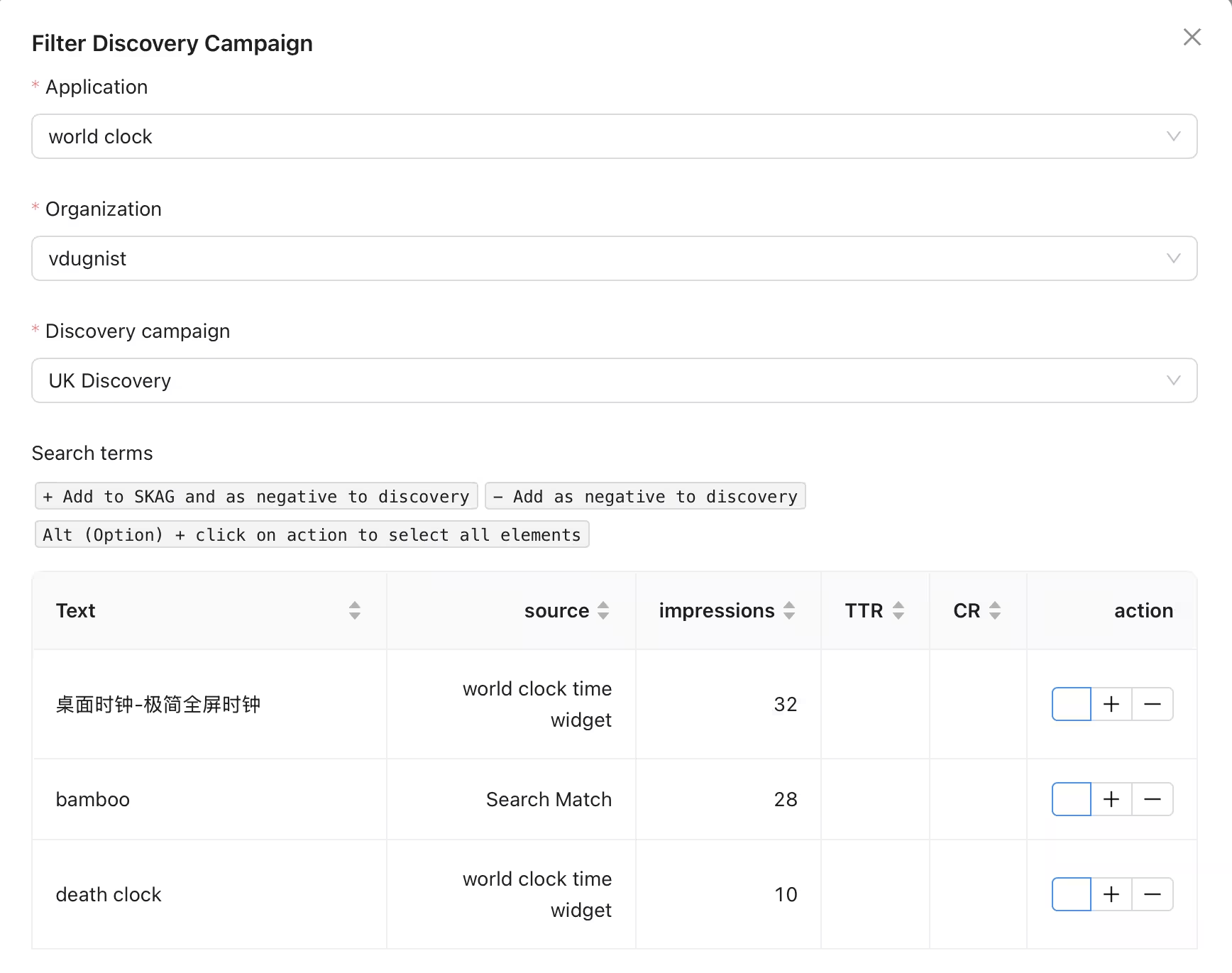
While your campaign is running, we will regularly check reports and notify you via email when new search terms are found. Once you receive an email, open Campaign Management -> Filter Discovery Campaign. Press + if you want to transfer the search term to the Exact Match campaign or - if you only want to add it to negative keywords.
To get more search terms, you can raise bids for your discovery campaign. Note that ad group level CPT bid will affect Search Match traffic, while keywords CPT bids will affect broad match keywords traffic.