
Apple Ads analytics & automationSee which Apple Ads keywords
See which Apple Ads keywords
actually make money
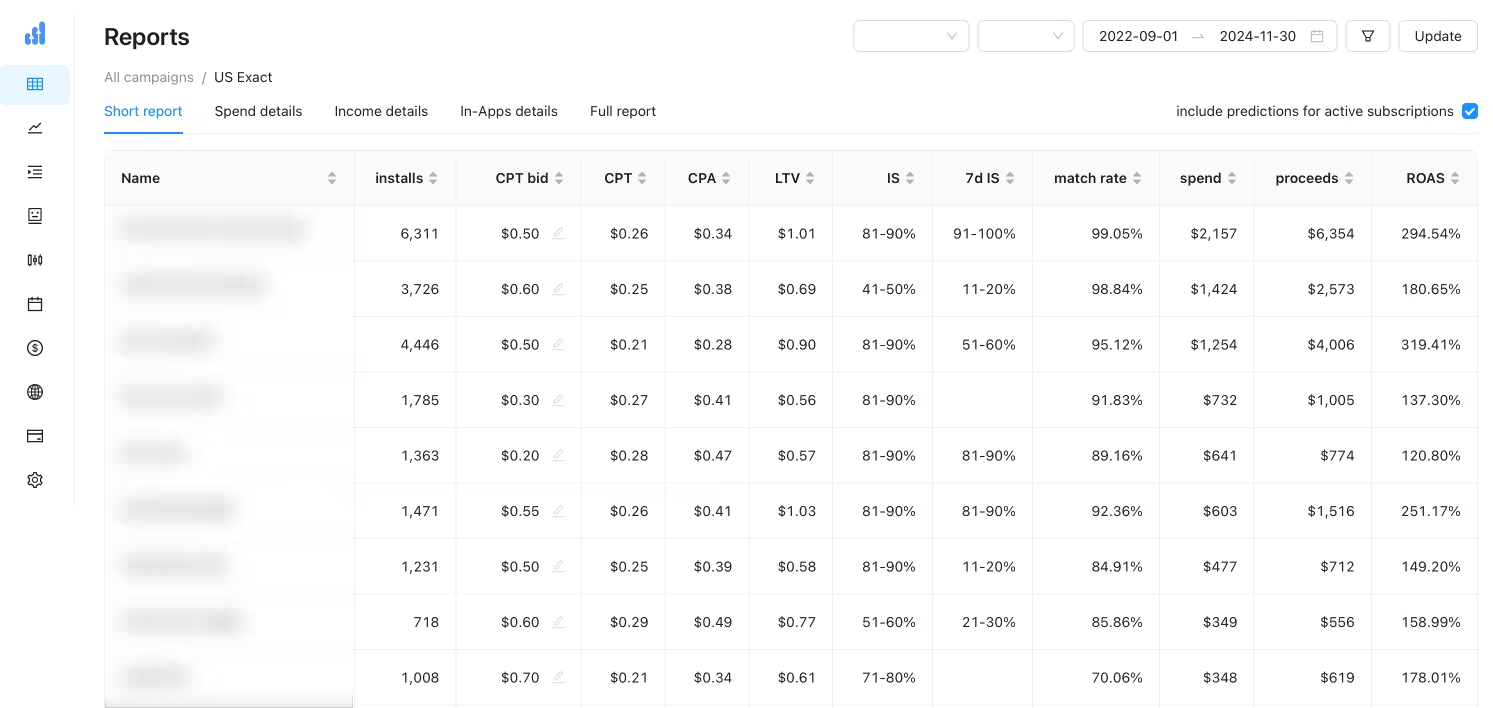
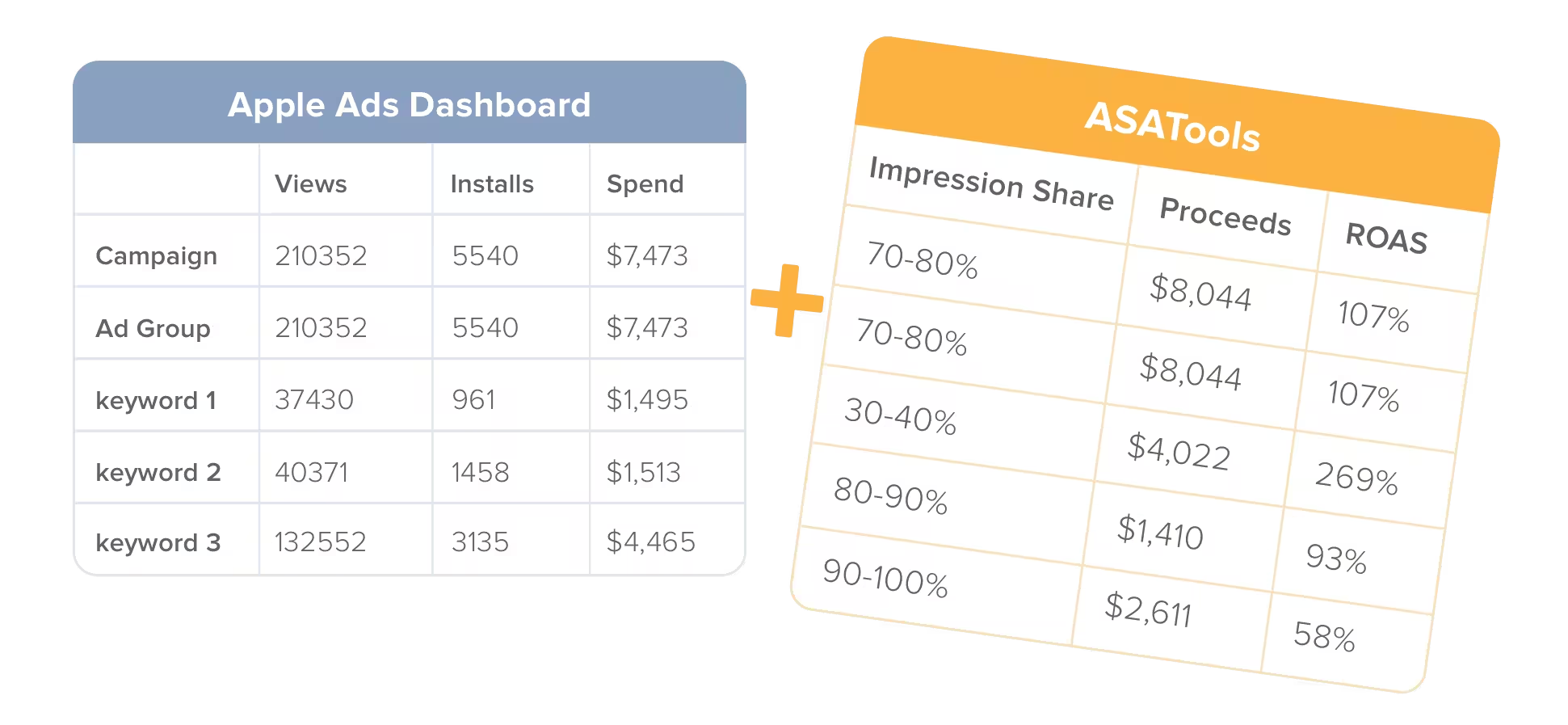
Apple Ads reports stop at installs. ASATools adds proceeds, ROAS, impression share and match rate to every campaign, ad group and keyword, then helps you act on that data with automations, campaign tools and AI agents.
- Free under $1,000/month ad spend
- No ATT prompt required
- Unlimited apps and team members
What Apple Ads reports don’t show you
A keyword with a $1.00 CPA looks better than one with a $1.50 CPA until you see that the first earns $0.70 per install and the second earns $2.50. Bid decisions need revenue data.
| Metric | Apple Ads | ASATools |
|---|---|---|
| Impressions, taps, installs, spend, CPA | ✓ | ✓ |
| Proceeds after Apple commission and taxes | — | ✓ |
| ROAS and PPI for every keyword | — | ✓ |
| ROAS by payback period and lifetime predictions | — | ✓ |
| Impression share next to keyword performance | Separate report | ✓ |
| Match rate for keywords | — | ✓ |
| In-App purchase breakdown per keyword | — | ✓ |
| Reports and bid changes from AI agents (MCP) | — | ✓ |
Reports
Revenue metrics for every keyword
Apple Ads shows what you spent. ASATools shows what you earned, from the campaign level down to individual keywords.
- Proceeds after Apple’s commission and taxes, matching App Store Connect
- ROAS and PPI calculated from proceeds, not gross revenue
- Impression share (daily and 7-day) next to performance metrics
- Match rate to see how much keyword traffic comes from the exact search term
- In-App purchase and trial details for every campaign, ad group and keyword
Payback periods
Know when a campaign pays back
Subscription revenue comes in over months, so the ROAS you see today isn’t the final number. Switch the income period to see proceeds, PPI and ROAS at a fixed point after install:
- 1 month
- 3 months
- 6 months
- 13 months
- 25 months
- Lifetime prediction
Lifetime predictions use your app’s actual trial conversion and renewal history, so you can scale or cut new campaigns weeks before the revenue is in.
How we calculate predictions →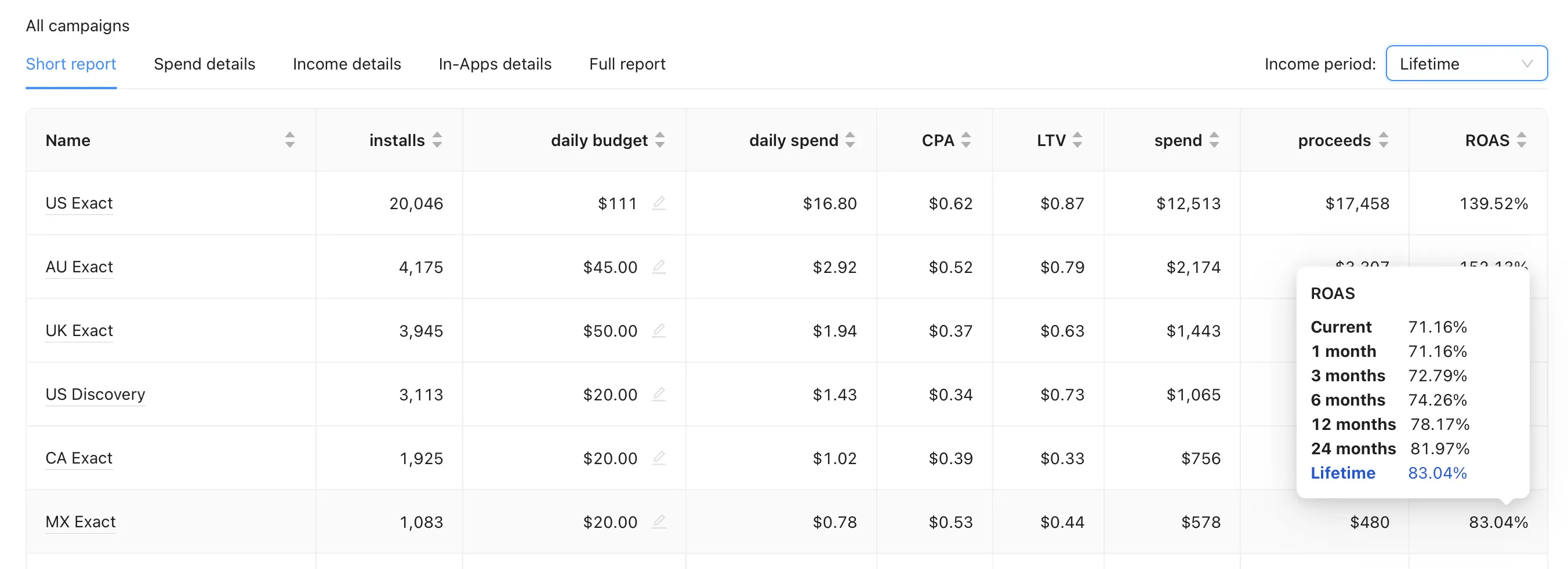
AI access
Manage Apple Ads from Claude, ChatGPT or Cursor
The ASATools MCP server gives your AI agent the same data you see in the dashboard, plus the ability to act on it.
- Query reports with proceeds, ROAS, impression share, match rate and predictions
- Create campaigns and adjust bids with a prompt
- Works with Claude, ChatGPT, Cursor and any other MCP client
Campaign management
SKAG, Discovery and Custom Product Pages at scale
Build and maintain campaign structures that would take hours to manage manually in Apple Ads.
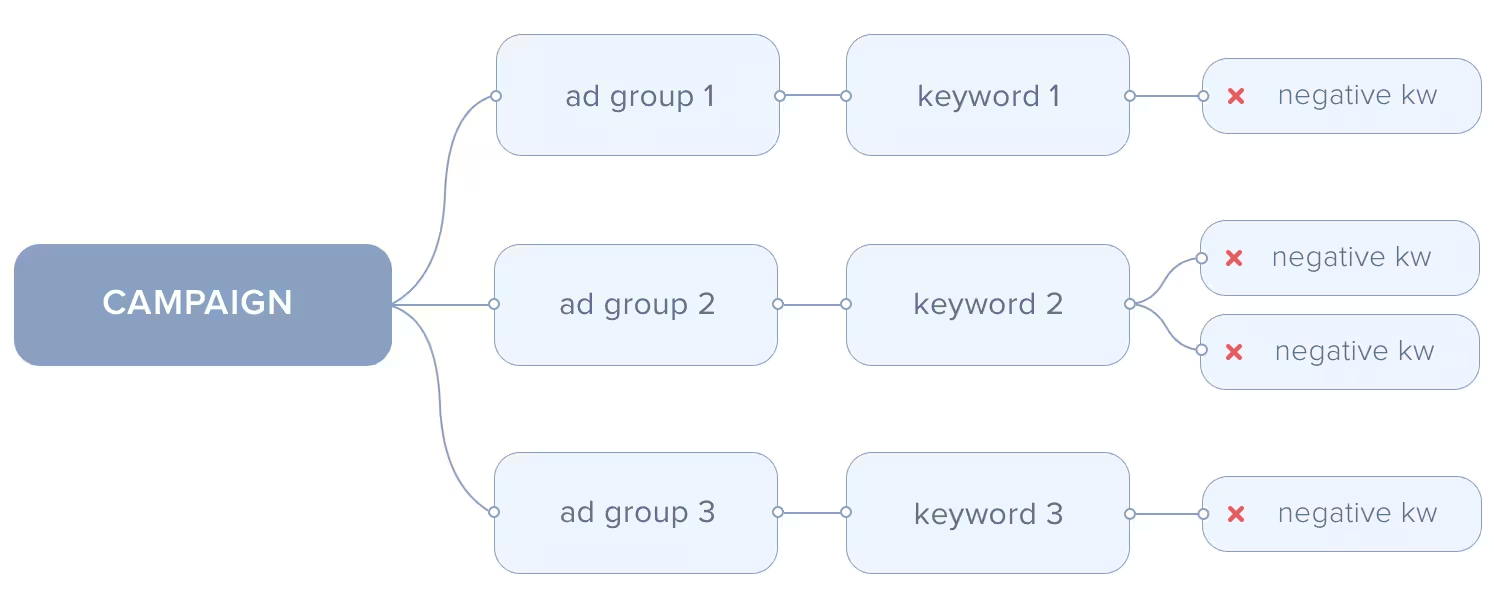
- SKAG campaigns: upload a list of keywords and get one ad group per keyword for precise targeting
- Discovery campaigns: review new search terms and move them to SKAG campaigns or add them as negatives
- Custom Product Pages in bulk: assign a CPP to many ad groups at once
- CPP analytics: compare TTR, conversion rate and CPT of each Custom Product Page against your default page
Automation
Let rules handle the routine work
- Search term monitoring: get notified about new search terms in Discovery campaigns and unwanted close variants in SKAG campaigns
- Campaign launch: raise bids step by step until you hit a target for impressions, installs, spend, impression share, CPT or CPA
- Action automations: monitor any report metric and change bids, update budgets, start or pause campaigns, ad groups and keywords, or send an email alert

Event sources
Connect your revenue data in minutes
Use the data source you already have. More integrations are on the way.
RevenueCat
Forward RevenueCat events to ASATools and measure campaign ROAS without updating your app. Setup guide
ASATools SDK
ASATools.instance.attribute(apiToken: "foobar")One line of code for attribution and revenue tracking. Available for Swift, Objective-C, React Native, Flutter, Unity and Xamarin.
Need another source?
We’re adding more event sources. Email us to tell us which one you use.
Privacy-friendly attribution
Accurate reports with no ATT prompt
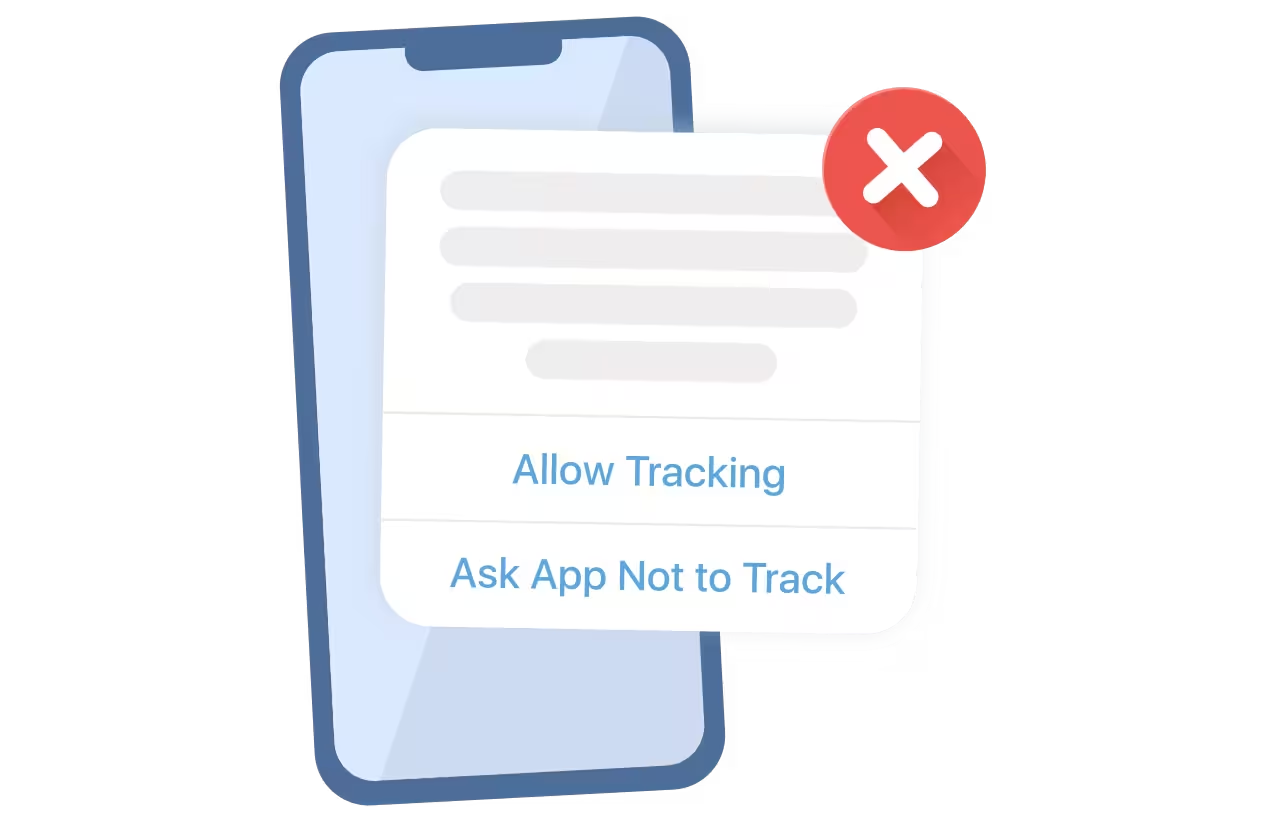
ASATools attributes Apple Ads installs with Apple’s AdServices framework, which doesn’t need user consent. You get accurate keyword-level reports for Apple Ads traffic without showing the App Tracking Transparency prompt, so your onboarding stays clean and your opt-in rate doesn’t matter.
The SDK also returns campaign, ad group and keyword attribution on the device, so you can pass it to your product analytics or personalize onboarding.
Up and running in three steps
1
Connect Apple Ads
Link your Apple Ads account so we can import campaigns, keywords and search terms.
2
Connect App Store Connect
Give read-only access to sales reports to calculate proceeds after Apple's commission and taxes.
3
Add an event source
Forward events from RevenueCat or add the one-line SDK. Reports fill in automatically.
Simple pricing that scales with your spend
Every feature is included on every plan.
Free
When your monthly ad spend is less than $1,000
2% of ad spend
For the first $10,000 of monthly ad spend
1% of ad spend
For monthly ad spend over $10,000
What is included:
Advanced Apple Ads reports
Campaign Management
Attribution SDK
Automation
Unlimited dashboard users
Unlimited applications
Campaign Management
Attribution SDK
Automation
Unlimited dashboard users
Unlimited applications
See ASATools in action
A 15-minute walkthrough of the full product.
Frequently asked questions
What is ASATools?
ASATools is an analytics and campaign management platform for Apple Ads (formerly Apple Search Ads). It adds revenue metrics such as proceeds, ROAS, and PPI to your Apple Ads reports down to the keyword level, and provides tools for SKAG and Discovery campaigns, Custom Product Pages, bid automation, and AI agent access via an MCP server.
How are ASATools reports different from Apple Ads reports?
Apple Ads reports show pre-install metrics like impressions, taps, installs, spend, and CPA, but no revenue. ASATools adds proceeds, ROAS, PPI, keyword-level impression share, match rate, and in-app purchase details to every campaign, ad group, and keyword, so you can see which keywords actually pay back.
What does "proceeds" mean in ASATools reports?
Proceeds are what you actually receive: revenue after Apple's commission and taxes such as VAT, the same as proceeds in App Store Connect. ROAS in ASATools is calculated from proceeds, not gross revenue.
What are payback periods and ROAS predictions?
Every income metric can be viewed for a payback period: 1, 3, 6, 13, or 25 months after install, or a predicted lifetime value. For active subscriptions, ASATools predicts future renewals based on your app's historical retention, so you can judge new campaigns before the revenue comes in.
Do I need to show the App Tracking Transparency (ATT) prompt?
No. ASATools attributes Apple Ads installs using Apple's AdServices framework, which does not require user consent. You get accurate keyword-level reports for Apple Ads traffic without showing the ATT prompt.
Can I manage Apple Ads with AI agents like Claude, ChatGPT, or Cursor?
Yes. ASATools has an MCP server at https://asa.tools/mcp. Connect it to any MCP-compatible client to query reports with proceeds, ROAS, impression share, match rate, and predictions, create campaigns, and adjust bids using natural language.
How do I send revenue data to ASATools?
You can forward events from RevenueCat without changing your app code, or add the ASATools SDK with a single line of code. SDKs are available for Swift, Objective-C, React Native, Flutter, Unity, and Xamarin. If you need another event source, email vlad@asa.tools and we will consider adding it.
How much does ASATools cost?
ASATools is free when your monthly Apple Ads spend is under $1,000. Above that, it costs 2% of the first $10,000 of monthly ad spend and 1% of spend over $10,000. All plans include unlimited dashboard users and unlimited apps.