
Other articles
- Apple Ads theory: Basic vs Advanced
- Apple Ads theory: Placements
- Apple Ads theory: Campaigns
- Apple Ads theory: Ad Groups
- Apple Ads theory: Target and Negative Keywords
- Apple Ads theory: Search Terms
- Apple Ads theory: Ad Variations
- Apple Ads theory: Impression Share
- Apple Ads practice: Exact Match Campaign
- Apple Ads practice: Bidding
- Apple Ads practice: Discovery Campaign
- Income vs Cohort Income
Apple Ads theory: Campaigns
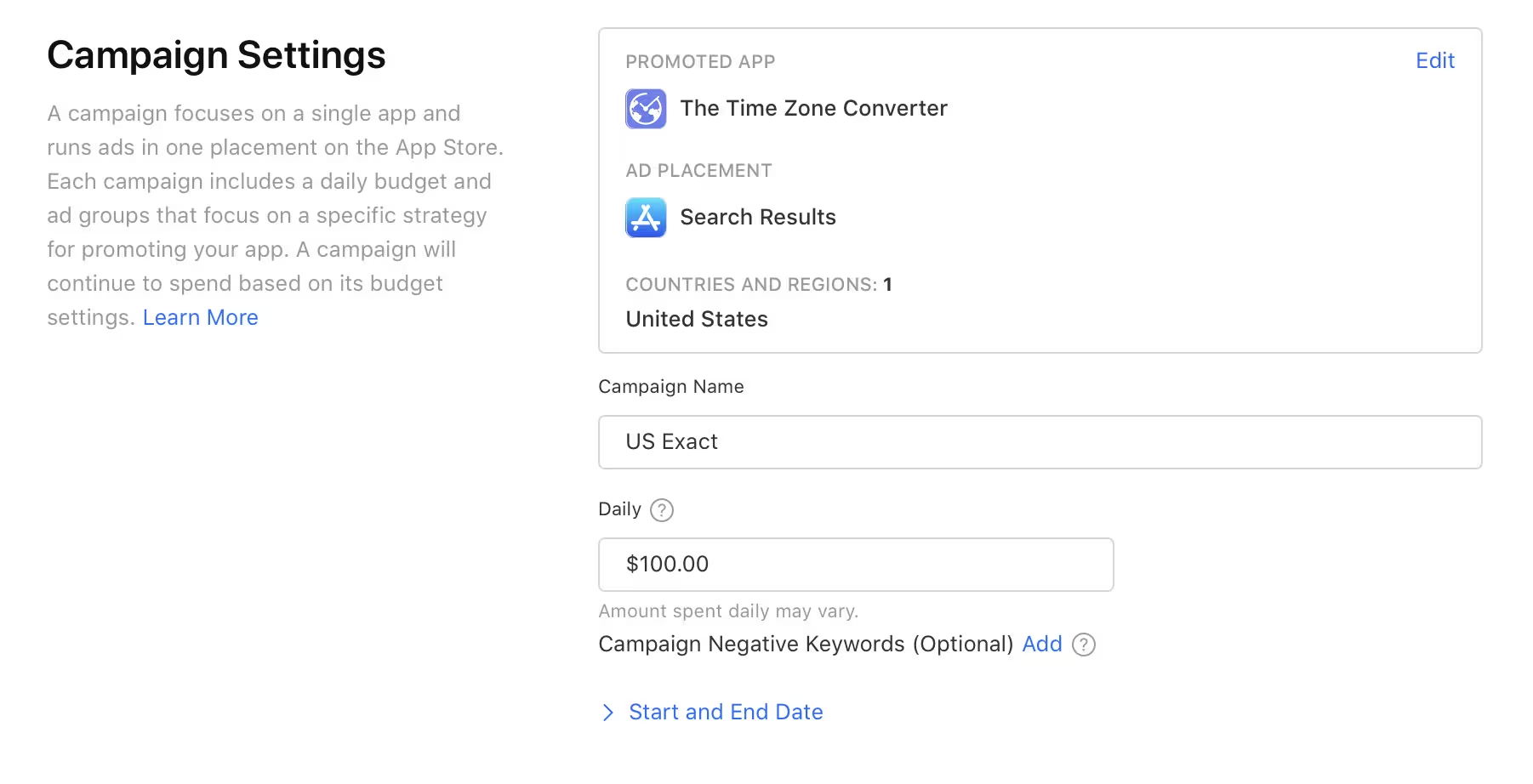
Campaign is a top level entity in Apple Ads. Here you can configure:
Placements. I already covered placements in the previous article. If you're just starting to work with Apple Ads, I recommend selecting Search Results here.
Countries. Here you can select one or more countries where your ad will run. It is always better to have one country per campaign so you can view reports and adjust CPT bids for each country individually. If you have a campaign targeting multiple countries, you can enable a country filter in the ASATools report to see expense and income data only for that country.
Daily budget. This parameter name is a bit confusing. It limits your monthly spend using a formula (daily budget * 30.4). You campaign can spend the entire monthly budget in one day. In some cases you might also experience overspending, but if that happens, you can reach Apple Ads support team, and they will refund you the amount that exceeds (daily budget * 30.4).
Total budget. Total budget is not available in Apple Ads dashboard anymore, but it is still accessible through the API. If you are using ASATools, you can set a total budget during campaign creation and adjust it anytime after. If you don't set it during campaign creation, you won't be able to add it later. You can only increase your total budget, not decrease it. Total budget is useful for experimental campaigns to make sure you don't overspend.
Ad Groups. Each campaign can have one or more ad groups, which we will discuss in the next article.
Campaign Negative Keywords. You can add negative keywords to exclude certain search terms from your campaign targeting. Negative keywords will also be discussed in the next articles.